TRIPS
Time every trip from loading zone to offload, step by step
A trip opens when a vehicle takes on weight in a start zone and closes when it offloads in the end zone. Trips stamps every step in between, flags route exits and unexpected offloads, and keeps the weight carried next to each one.
- Six timed steps per trip
- Weight on board from the axle sensors
- Route exit and unexpected offload flags
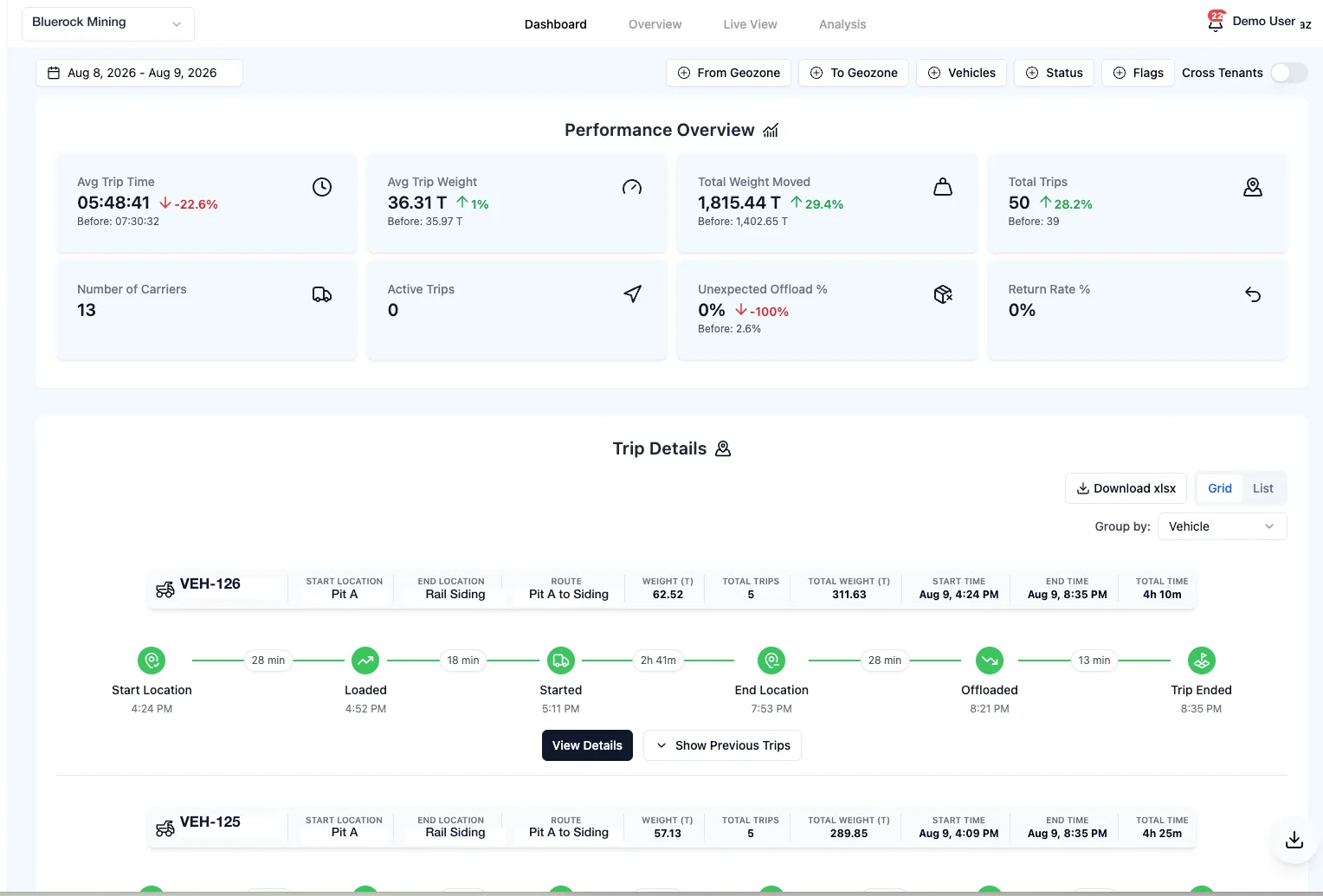
Performance Overview
Avg Trip Time
06:57:55
Total Weight Moved
11,786.39 T
Total Trips
215
Number of Carriers
20
Trip Details
Pit A - Load Zone
Crusher North
Pit A to Crusher
45.08
3
Mar 11, 1:38 PM
Mar 12, 12:00 AM
10h 21m
Start Location
1:38 PM
Loaded
2:12 PM
Started
3:21 PM
End Location
11:30 PM
Offloaded
12:00 AM
Trip Ended
12:00 AM
Stockpile East
Processing Plant
N/A
51.77
6
Mar 11, 5:35 AM
Mar 11, 4:46 PM
11h 11m
Start Location
5:35 AM
Loaded
7:55 AM
Started
8:43 AM
End Location
Offloaded
4:46 PM
Trip Ended
4:46 PM
Pit B - South
N/A
N/A
127.95
5
Mar 11, 4:53 AM
N/A
N/A
Start Location
Loaded
4:53 AM
Started
End Location
Offloaded
Trip Ended
From the first load to the last offload
How Trips works
Three steps: a load opens the trip, every stage is stamped as it happens, and the dashboard turns the stamps into numbers.
A load opens the trip
When a vehicle takes on weight inside a loading zone, a trip opens with its start location, the weight on board, and the route it belongs to if one is planned.
Every stage is stamped
Loaded, started, end location, offloaded, trip ended: each step gets a timestamp and the minutes since the previous one. Route exits, unexpected offloads, and returns are flagged on the trip itself.
The dashboard adds it up
Average trip time, total weight moved, trips, carriers, unexpected offload rate, and return rate, each compared with the period before. Filter by zone, vehicle, status, or flag, group by route, and export to Excel.
The Benefits of Trips
Trips stamped, weighed, flagged, and compared with the period before.
Every step, timed
Start location, loaded, started, end location, offloaded, trip ended. Six stamps per trip with the minutes between them, so a slow trip shows exactly where it was slow.
Numbers with a before and after
Average trip time, weight moved, trips, and carriers for any period, each shown against the period before it. You see the direction, not just the value.
Flags, not just averages
Route exits, unexpected offloads, and returns are flagged on the trip they happened on. The analysis view adds a trip health scorecard with recoverable hours and tons per route.
Filter, group, export
Filter by start or end zone, vehicle, status, and flag. Group by vehicle, zone, or route. Export the result to Excel.
Feature set
-
Dashboard with a before and after
Eight trip KPIs for any date range, each against the period before it, then every trip as a card with its timeline, weight, and flags. Grid or list, grouped by vehicle, zone, or route.
-
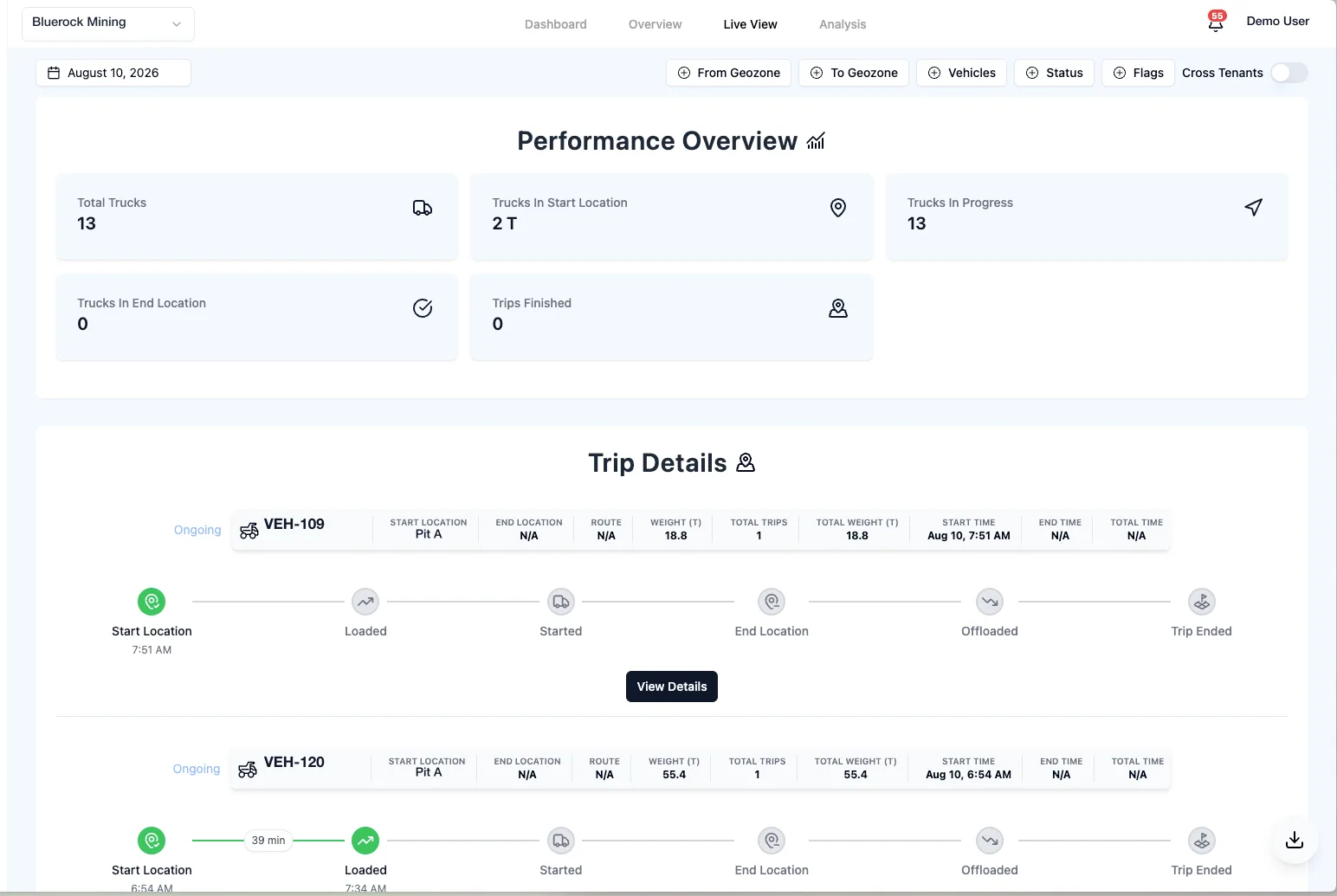
Live view of the fleet mid-trip
How many trucks are in a start zone, in progress, or at an end zone right now, and how many trips have finished, with each ongoing trip's timeline underneath.
-
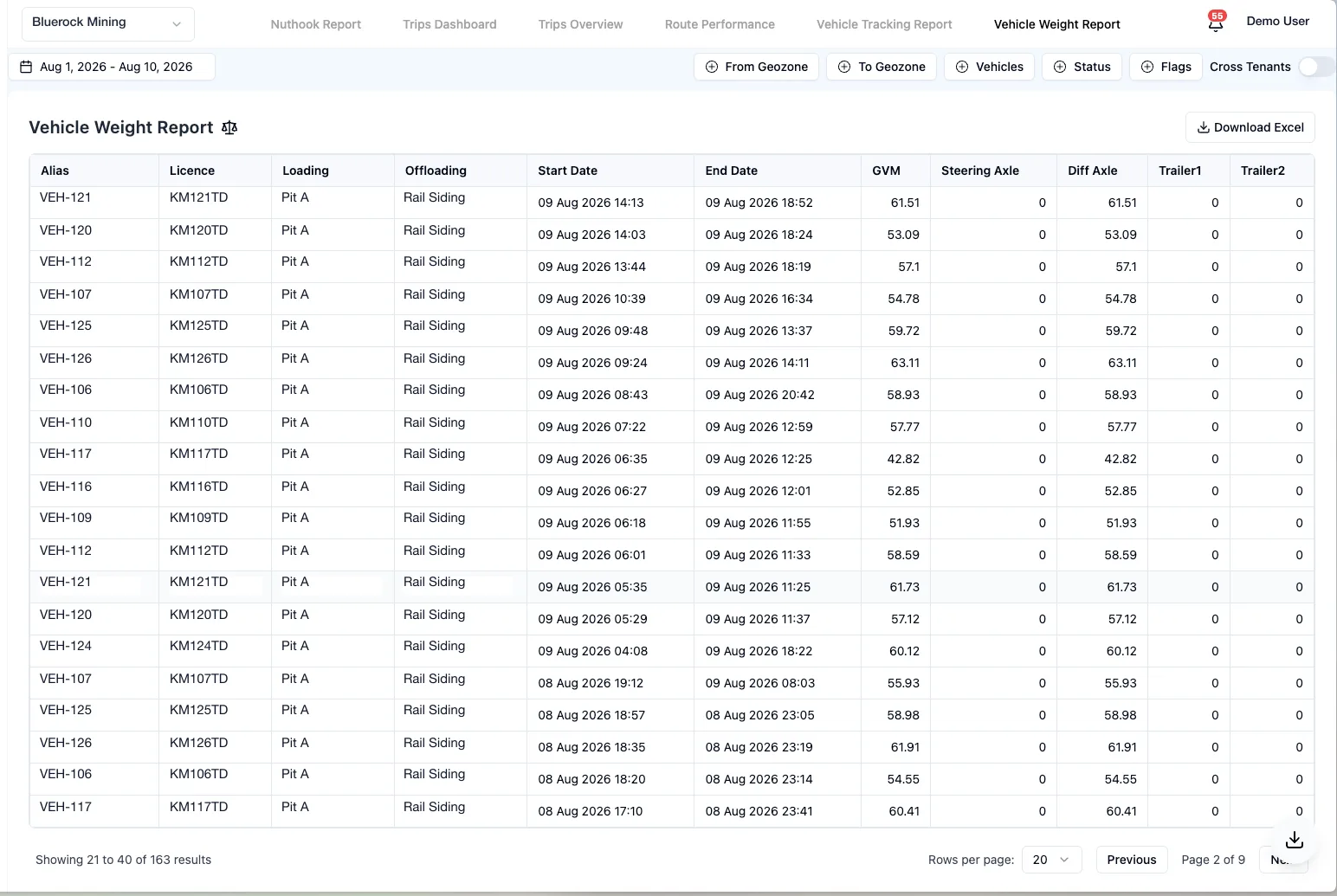
Weight report per trip
Every trip's gross weight and axle breakdown, from loading zone to offloading zone with start and end times. Filter by date, vehicle, zone, and status, and export to Excel.