ROUTE PLANNING
Plan haul routes on your own geozones, then measure every trip against them
Define routes between your loading and offload zones once. Dispatchers assign tasks against them from live vehicle availability, and every dispatched trip runs a step timeline with route exits and unexpected offloads flagged as they happen.
- Routes built from your own geozones
- Dispatch from live vehicle availability
- Route exits flagged as they happen
From a drawn zone to a measured trip
How route planning works
Three steps, all on your own map: define the route, dispatch against it, measure the trip.
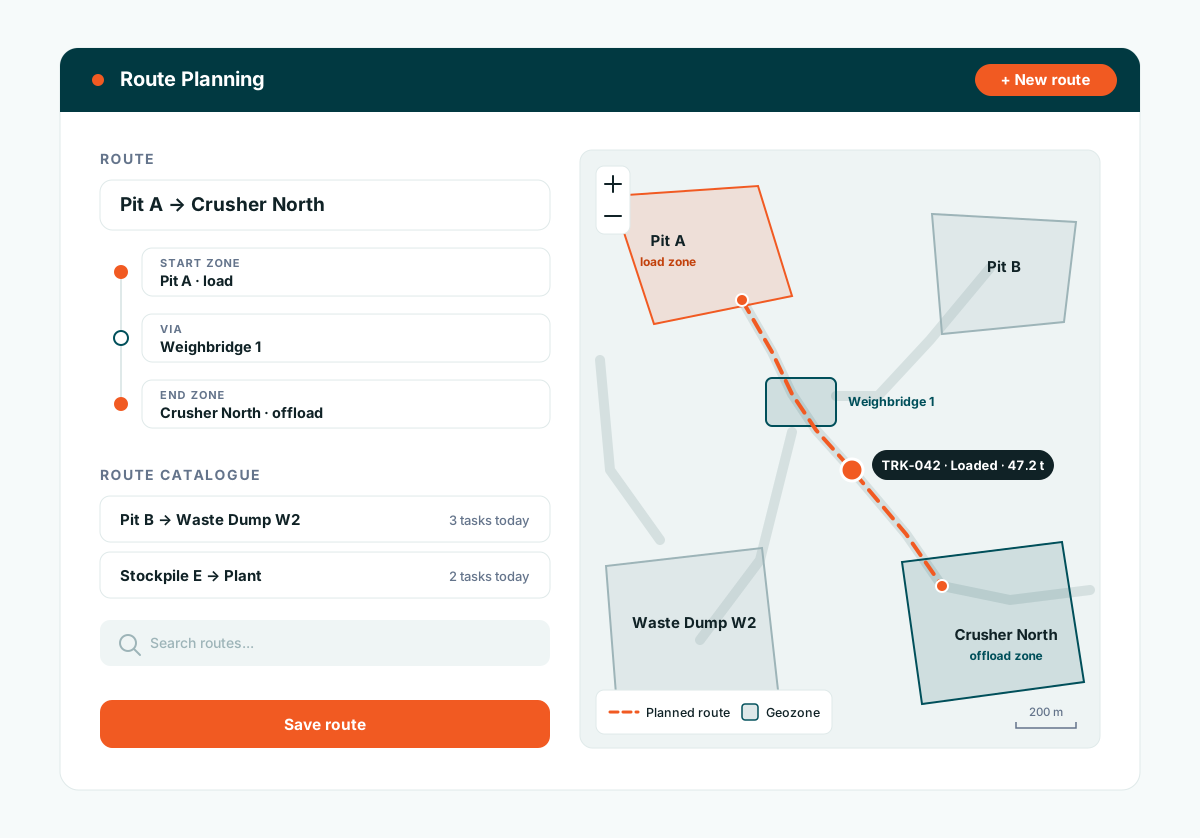
Define routes on your geozones
Draw your zones once: loading faces, crushers, dump sites, weighbridges. Build reusable routes between them and keep them in a searchable catalogue that trips, reports, and exception flags all share.
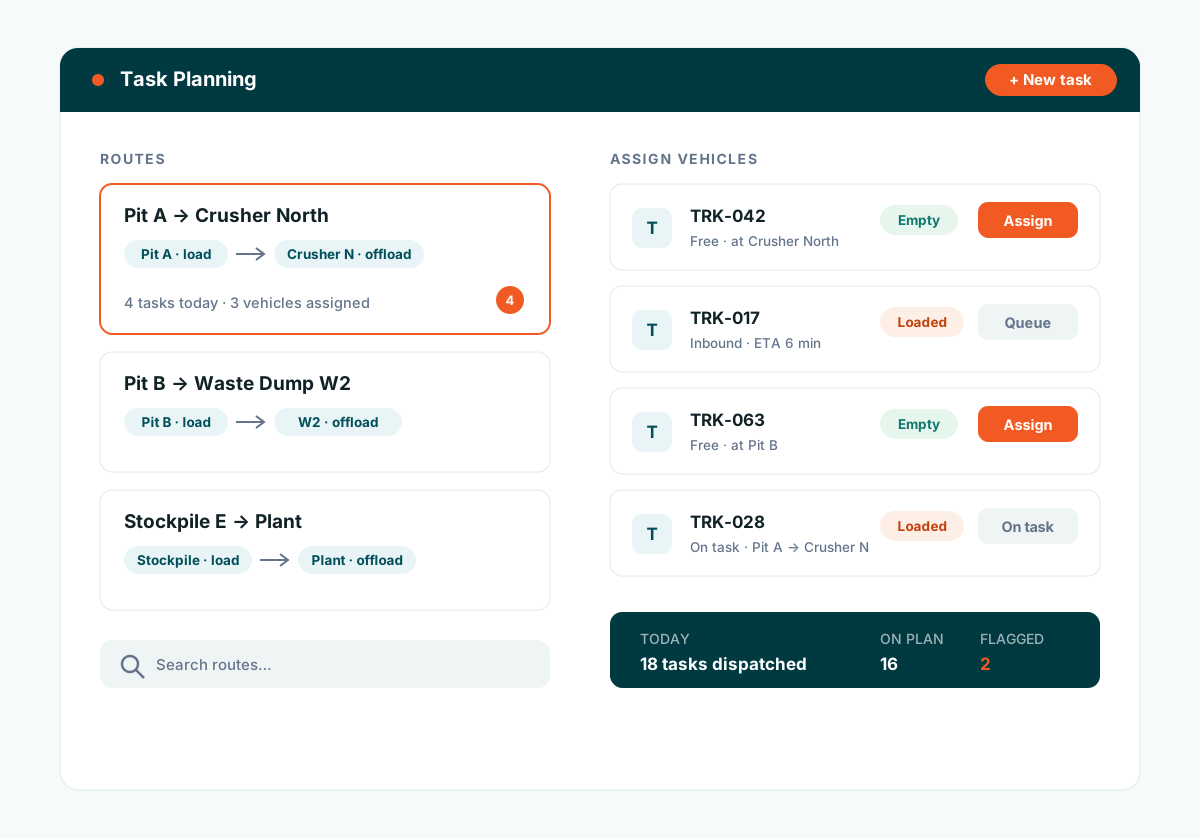
Plan tasks and assign vehicles
Create tasks against a route and assign vehicles from the live fleet. Dispatchers see which vehicles are free, which are inbound with an ETA, and what each one is carrying.
Measure every trip against the plan
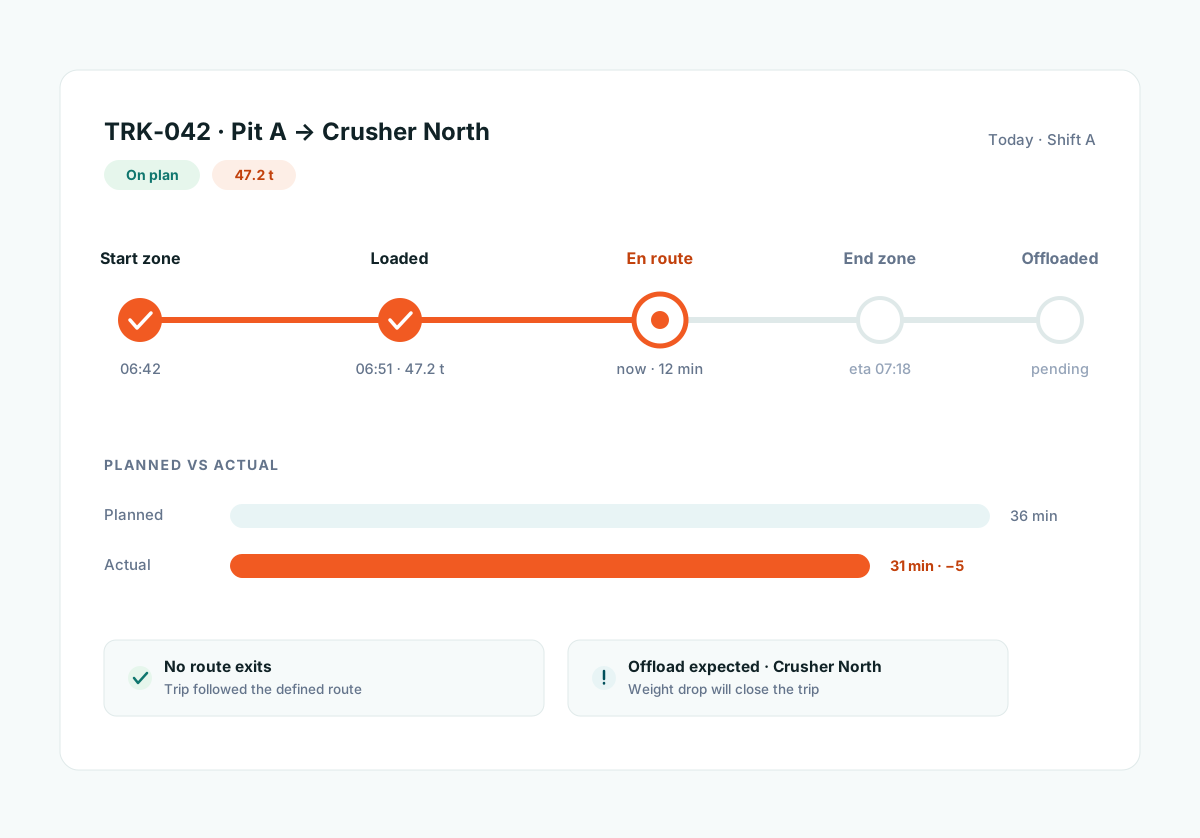
Each dispatched trip runs a step timeline: start zone, loaded, en route, end zone, offloaded. Durations sit next to the plan, and route exits or unexpected offloads are flagged the moment they happen.
The Benefits of Route Planning
Define your haul routes once, dispatch tasks against them daily, and measure every trip against the plan.
Routes on your own geozones
Build routes from your own geozones: loading faces, crushers, dump sites, weighbridges. Every dispatched trip is tracked against its route from start zone to end zone.
Fewer Empty Kilometres
Dispatchers assign the next task knowing which vehicles are free, which are inbound, and what each is carrying, cutting deadhead trips and idle waiting.
Built around your site
Routes follow your actual haul roads and site rules rather than public-road assumptions. Made for mining and forestry operations where the map is yours.
Task planning and dispatch
Create tasks against routes, assign vehicles, and follow execution on the trip timeline. Route exits and unexpected offloads are flagged as they happen.
Feature set
-
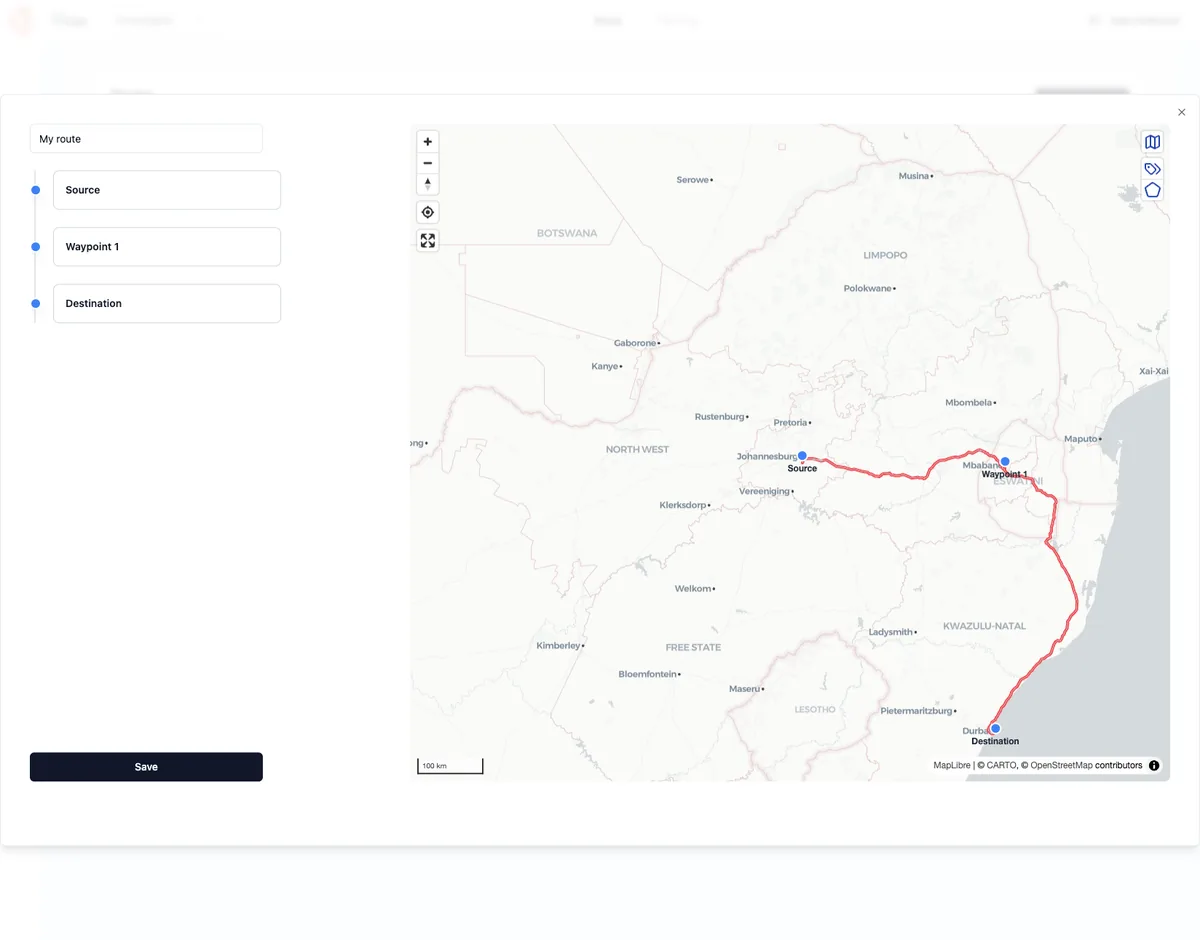
Route builder on your geozones
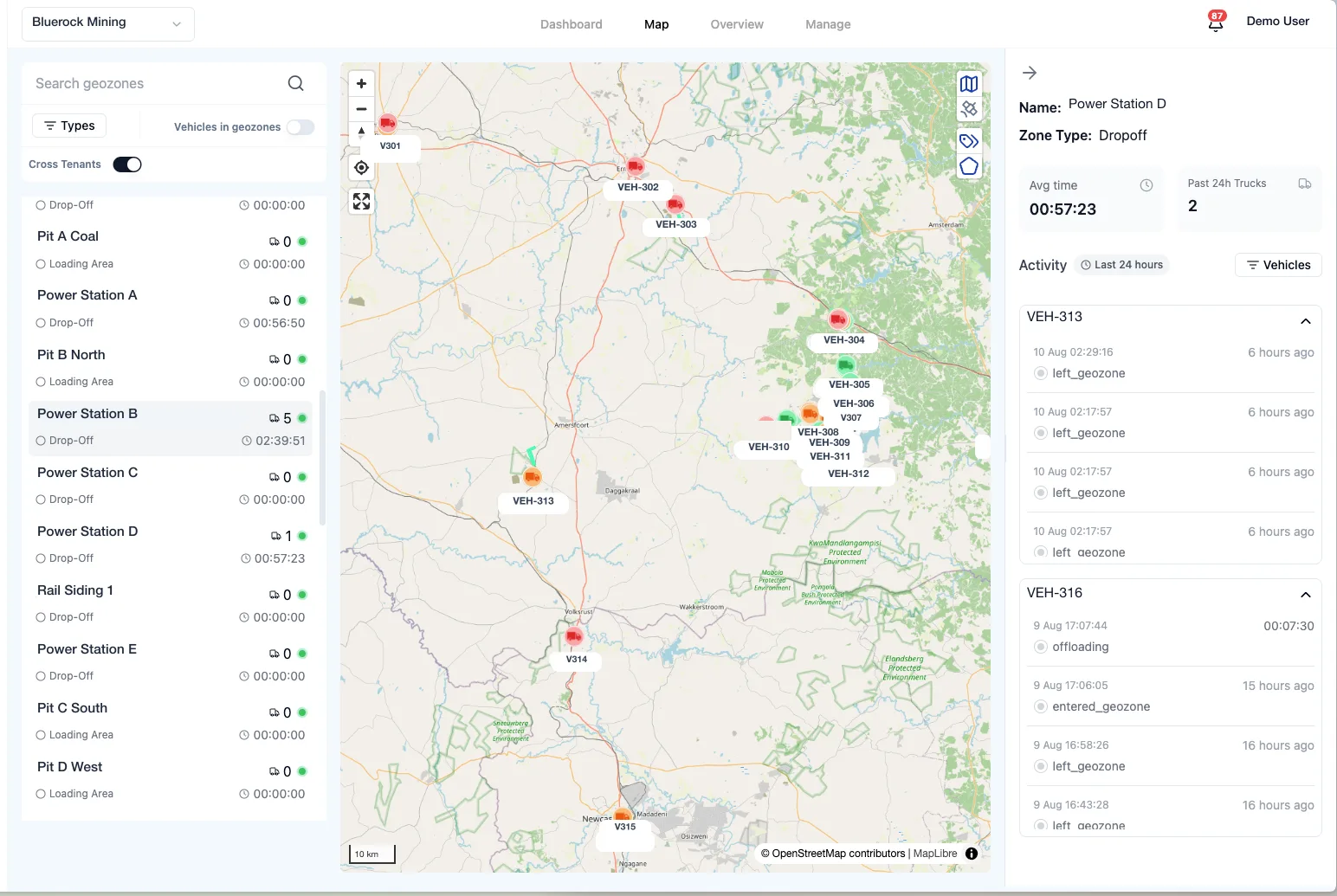
Define reusable routes between loading and offload zones, with search across your route catalogue. The same routes power trips, reports, and exception flags.
-
Task planning & vehicle assignment
Plan tasks against routes and assign vehicles from the live fleet, so dispatch decisions come from real availability instead of guesswork.
-
Trip timeline: planned vs actual
Every dispatched trip runs a step timeline covering start zone, loaded, en route, end zone, and offloaded, with timestamps and durations to compare against the plan.
-
Live geozone arrivals & ETAs
Click any zone to see inbound vehicles closest-first, with road-network ETAs and Empty/Loaded badges, giving full context for the next assignment.